Introduction
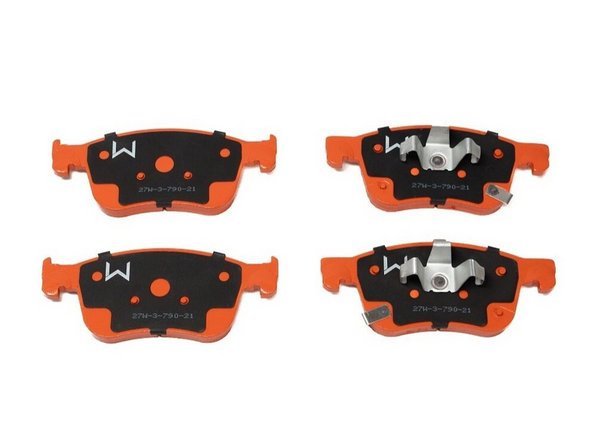
In this installation guide we have provided step by step instructions to remove the OEM front brake pads and install the 27WON Performance brake pads.
Advisory:
- Working under the vehicle requires a safe and sturdy location for the vehicle to sit on jackstands.
- The brake rotors can be hot after recent vehicle operation. Allow the vehicle to cool or use a fan to cool the brake rotors before working on the vehicle.
-
-
First and foremost; THANK YOU for becoming a part of the 27WON Family. We hope to REDEFINE your experience of the aftermarket with the highest level Parts, Customer Service, Packaging, & Support
-
These instructions reference "Left Hand" & "Right Hand" sides. Left Hand & Right Hand is always defined from the driver seat viewpoint
-
Check out this GUIDE for rear pads install
-
-
-
Raise the vehicle and support with jackstands in the OE recommended locations
-
Remove the front wheels/tires
-
The following instructions show the left-hand side removal of OE components and installation of 27WON replacement pads. The right-hand side is done with the same steps
-
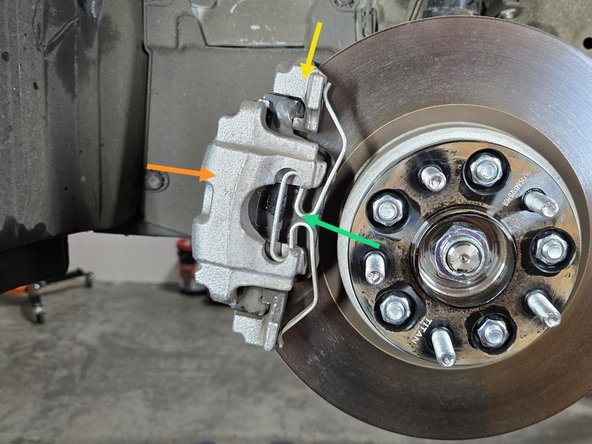
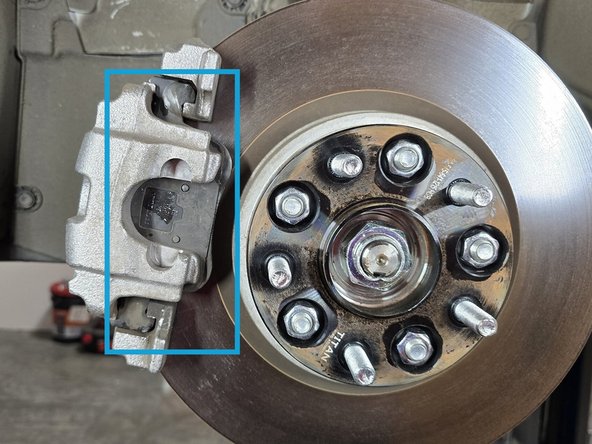
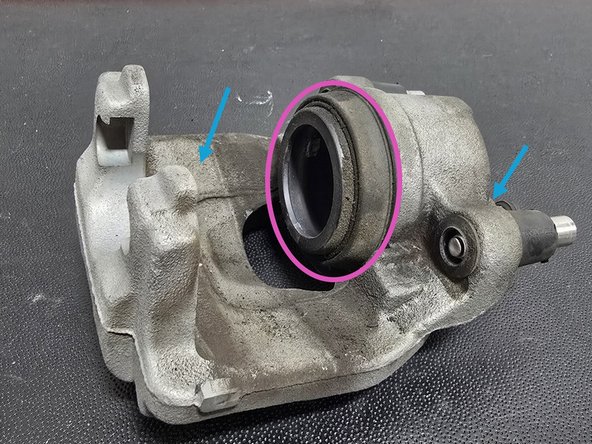
Identify Components
-
Brake Caliper
-
Brake Caliper Bracket
-
Caliper Tension Clip
-
-
-
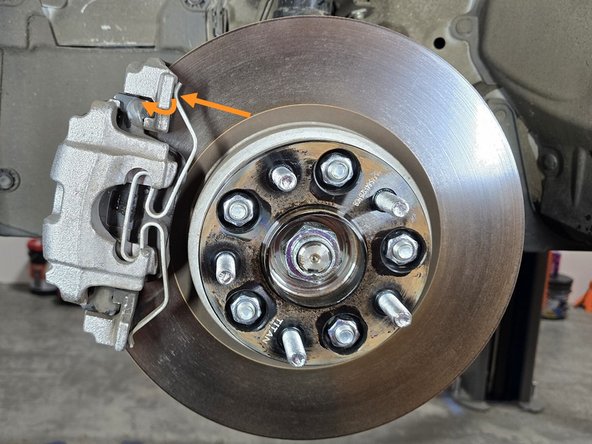
Using a flat head screw driver, pop the tension clip off of its perch on the top of the caliper
-
Watch your fingers here! This clip can come off with some force and potentially injure you
-
Once removed, the top of the clip will sit as shown
-
With the majority of the tension relieved, use a flat head screw driver to remove the bottom of the clip
-
Pulling from the center of the clip with your finger remove the tension clip as shown. Use a screwdriver if necessary
-
-
-
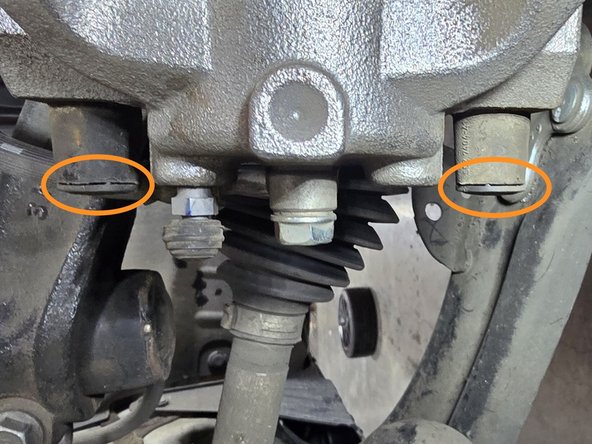
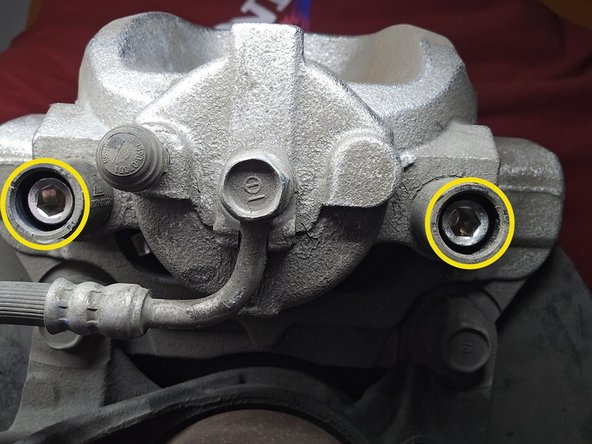
Move to the back side of the caliper for the removal process
-
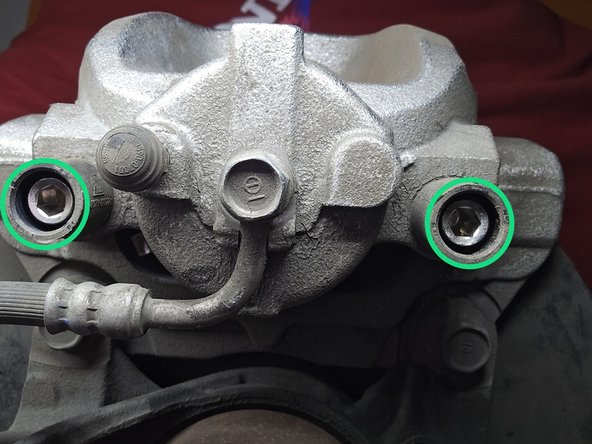
Use a flat head screw driver or your finger to remove the two plastic caps circled in orange
-
Use a 7mm Allen head socket and a 3/8" drive ratchet to remove the two caliper slider bolts circled in yellow
-
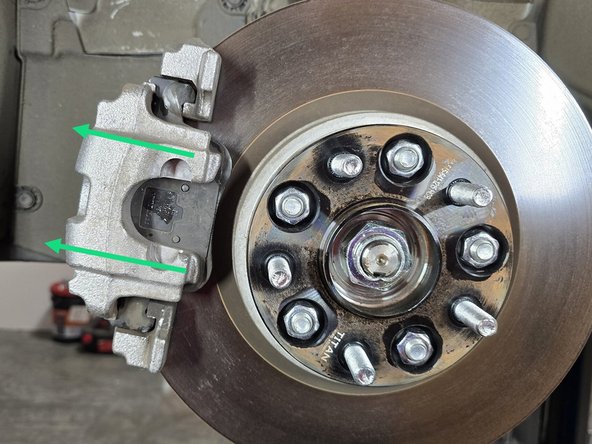
Remove the caliper from the rotor as shown
-
If the rotor is heavily worn, you may need to spread the brake pads apart to gain the clearance needed to remove the caliper
-
Do not let the caliper hang from the brake line, this could cause damage to the line or fittings
-
-
-
You can set the brake caliper upside down on top of the rotor for easy access to the brake pads but be careful not to bind the brake lines!
-
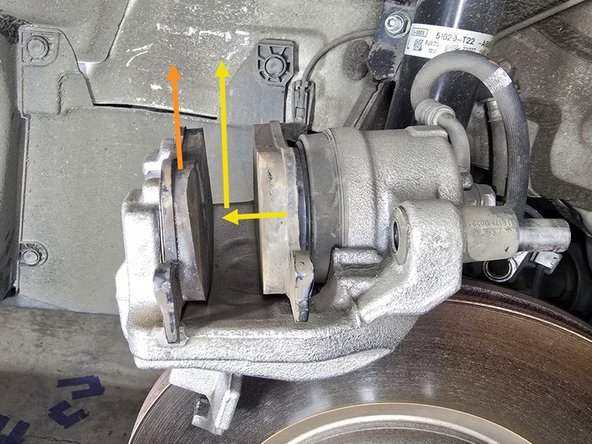
Remove the outer brake pad, this will come straight up and out
-
Remove the inner brake pad by first removing it from the caliper piston then out of the caliper as shown
-
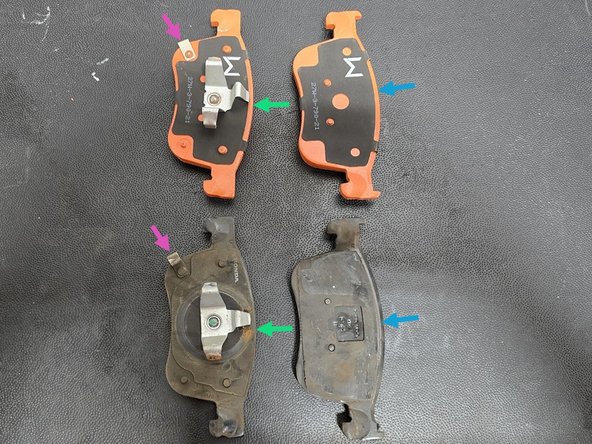
Lay out your OE pads with your 27WON replacement pads to make sure you have the correct pads for each side
-
Inner
-
Outer
-
Matching wear indicator location
-
-
-
Follow Factory Service Manual (FSM) for proper maintenance of braking system
-
Worn/damaged rotors or calipers can cause brake system failure and premature pad wear. Make sure your brake system doesn't need the other components serviced
-
These parts are shown off of the vehicle, but can still be easily inspected without removing them
-
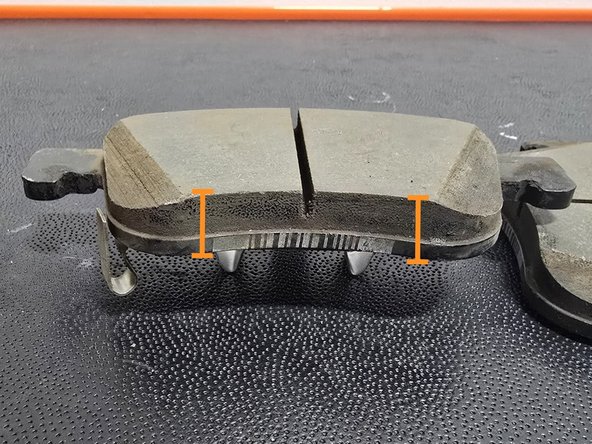
Verify the removed brake pads are worn even. Both ends of the pads should be roughly the same thickness. If your pads are wearing unevenly this could indicate a bad rotor or caliper
-
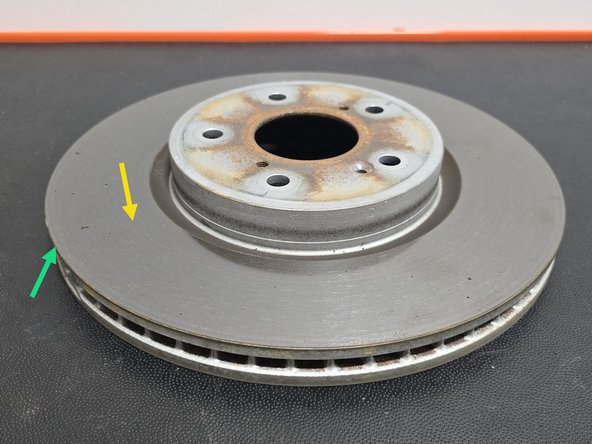
Inspect your rotors for any cracks or gouges. The contact surfaces of your rotors should be smooth and flat. Damaged or warped rotors will cause excessive brake pad wear
-
Rotors need to be a minimum thickness to be used. Consult FSM for this specification. Inspect the edge of your rotors for an excessive lip. A large lip on the edge of your rotor can be an indicator that it is time to replace the rotor
-
Inspect your calipers for any cracking or obvious leaks
-
Inspect your caliper piston boot for any rips or tears. This is may indicate that the caliper needs replaced
-
-
-
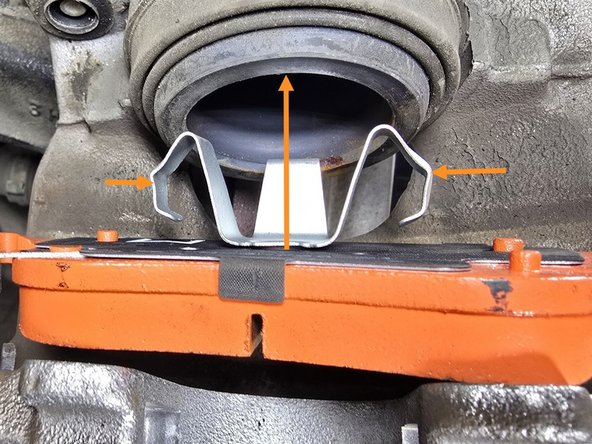
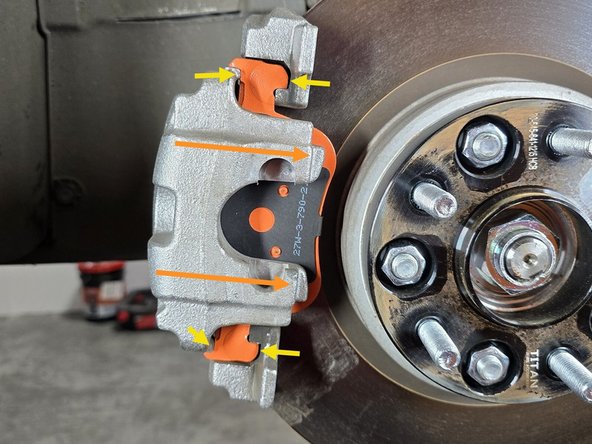
Install the inner brake pad into the caliper cylinder by compressing the outer retaining clips and pressing the pad into the caliper as shown
-
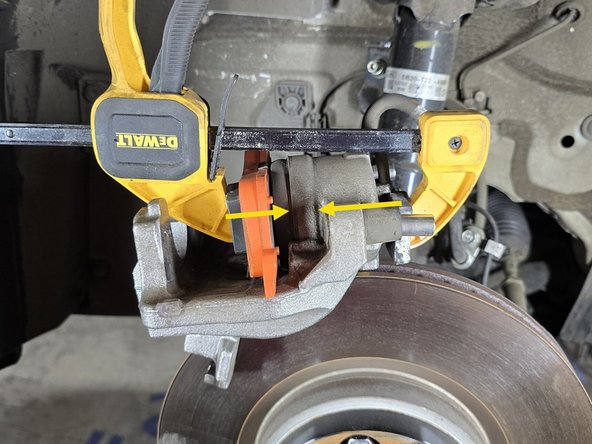
Using a C-clamp as shown or a caliper compressing tool, compress the caliper piston enough for the new pads to fit over the OE rotor
-
This step can be skipped if you already compressed the caliper or your OE pads were brand new
-
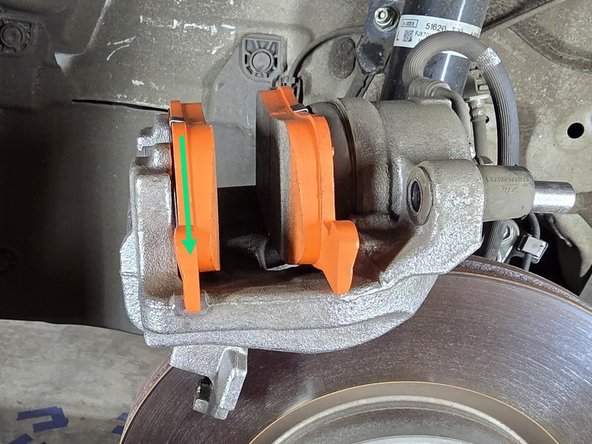
Install the outer brake pad by setting it into the caliper as shown
-
-
-
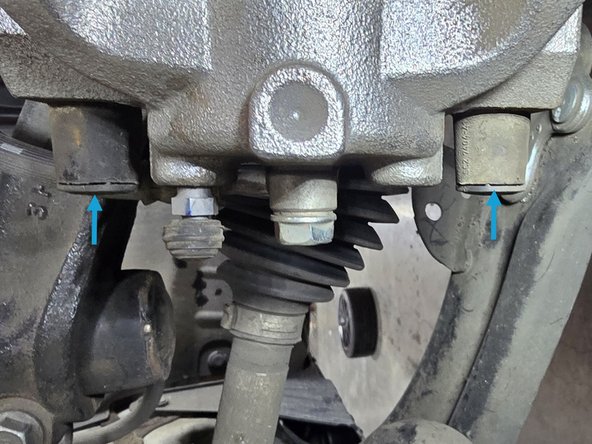
Slide the caliper and pads back over the OE rotor as shown
-
Before proceeding, verify the brake pad alignment tabs are sitting in the caliper and caliper bracket as shown
-
Using a 7mm Allen head socket and a 3/8" ratchet, reinstall the caliper slider bolts as shown and torque to 25 Ft/lbs
-
Replace the previously removed plastic caps over the slider bolts as shown
-
-
-
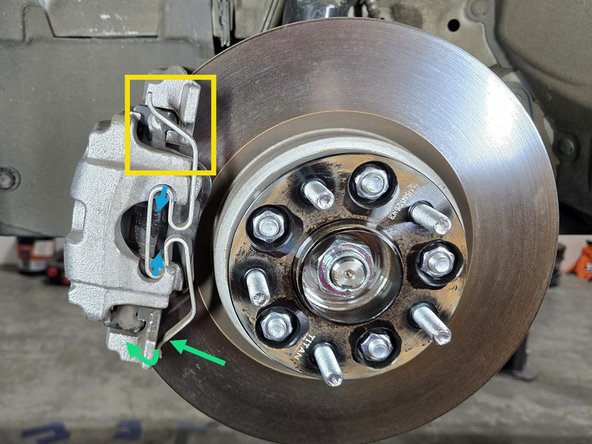
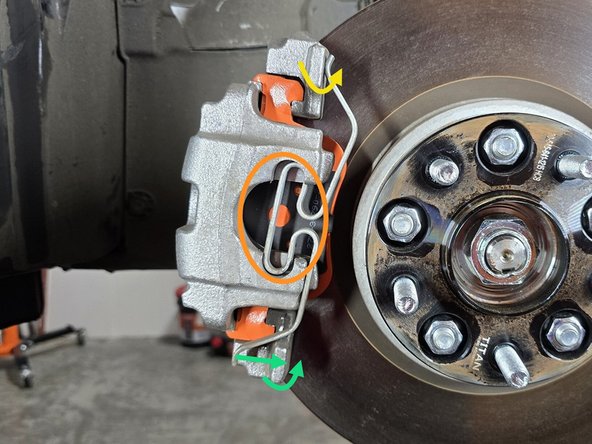
Using one hand press and hold the center of the clip into the round cut out as shown
-
This will need to be held in place until both ends of the clip are pressed into place to ensure the clip does not pop out!
-
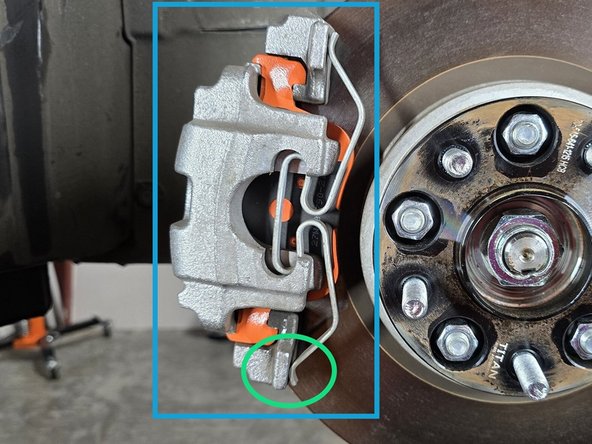
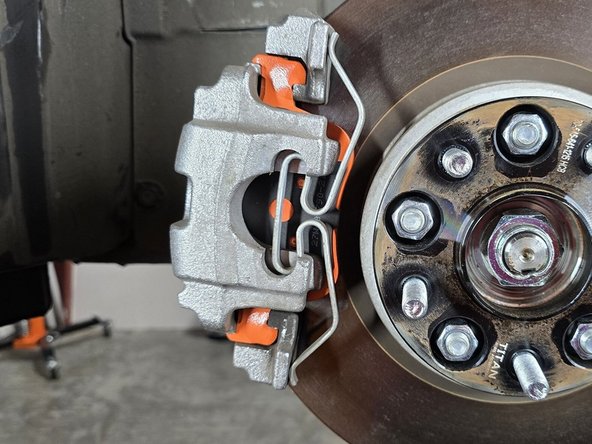
Using your hand, press the top side of the clip into its resting place on the caliper
-
Using a flat head screw driver, pry the bottom of the clip until it clears the caliper, then press it into position as shown
-
This can require a good bit of force, it is doable by hand but we strongly recommend using a screw driver or small pry bar
-
Once the bottom is pressed into position, give the whole clip a once over to ensure it is fully secure and seated in to the caliper
-
-
-
This completes the Brake Pad installation for the left hand side of the vehicle. The right hand installation process is the same
-
Complete the right hand installation process starting on Step 3
-
-
-
Reinstall your wheels at this time and safely get your car back on the ground before proceeding to bedding your new pads
-
This completes the installation of the 27WON brake pads - The following step provides instruction for Brake Pad Bedding
-
-
-
Brake pad bedding is an essential process to the life and durability of the brake pads and rotors - for optimal brake pad performance please follow the steps below
-
Proper pad bedding slowly heats and cools the rotors & pads - do not hard brake during initial driving until after complete bedding procedure is complete
-
Find an open road and accelerate to 30mph - Brake evenly and smoothly at ~50% effort until the vehicle is almost stopped, then accelerate to 30mph again
-
Repeat above step 8-10 times
-
Find an open road and accelerate to 50mph - Brake evenly and smoothly at ~80% effort until the vehicle is almost stopped, then accelerate to 50mph again
-
Repeat above step 2-3 times
-
Allow ~15min for brakes to cool - You can now use the brakes for normal driving
-
-
-
This completes the installation & setup of your 27WON Performance Front Brake Pads
-
We hope you were impressed with your 27WON experience and love your new brake pads for years to come. Email us at sales@27won.com or call us at 571-271-0271 with any questions or concerns
-
Please Leave a review here: https://store.27won.com/2016-civic-2023-...?
-
Share your experience using #27WON on Instagram and Facebook
-





Team
